
eBay Store Policy Sync
Your eBay policies already exist. You already set up your shipping, returns, and payment rules over there. CardLuma just pulls them in so you’re not re-entering the same information in two places. Hit sync, pick your defaults, done.
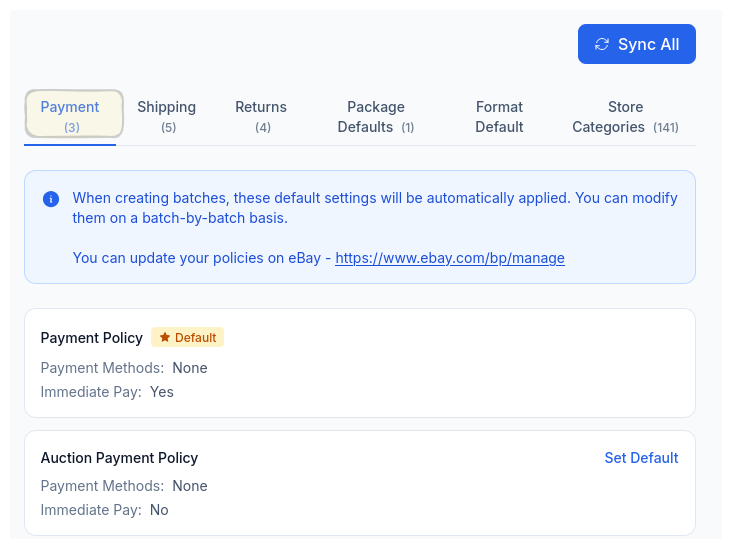
Payment Policies
Synced from eBay. Pick your default, done.
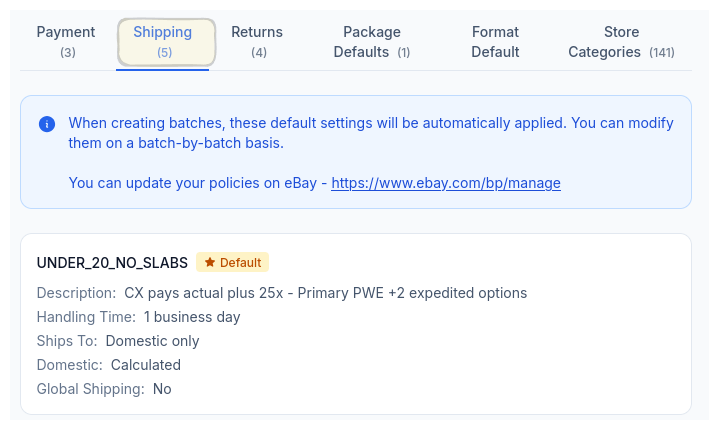
Shipping Policies
All your shipping profiles, ready to assign.
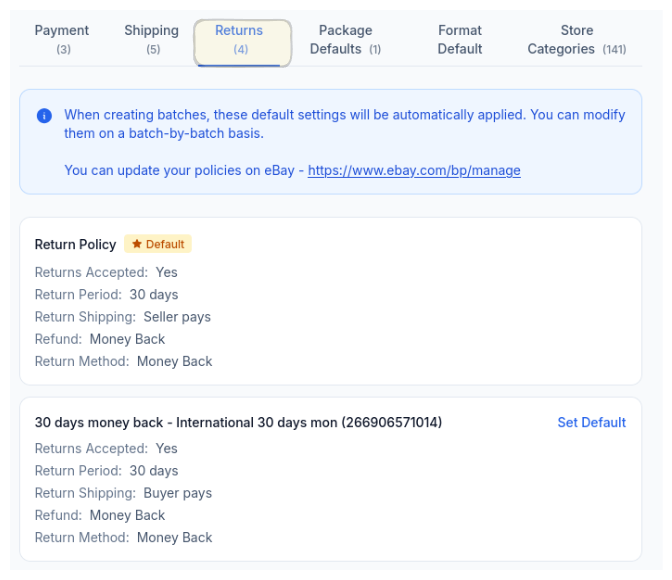
Return Policies
Return windows and terms, synced exactly.
Defaults That Stick
Every batch you create inherits your defaults automatically. Same shipping profile, same return policy, same payment terms. You’re not accidentally listing 50 cards with the wrong return window because you forgot to check a dropdown.
And if you need to override something for a specific batch — maybe a different shipping profile for slabs versus raw cards — you can. But the defaults handle the 90% case without you thinking about it.
One-Click Sync
Pull all your eBay payment, shipping, and return policies into CardLuma instantly.
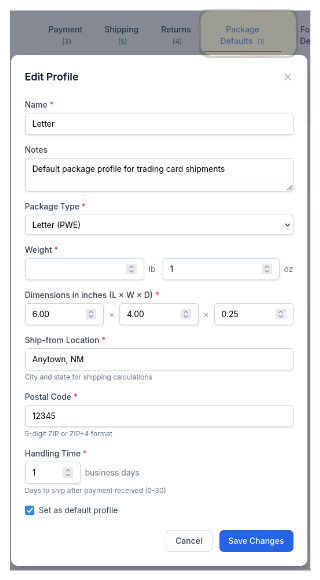
Package Profiles
Set dimensions, weight, and ship-from location once. Every listing gets accurate shipping calculations.
Batch Defaults
Every new batch inherits your default policies. Override per-batch when you need to, autopilot when you don’t.
Ready to List Smarter?
Start scanning and listing cards in minutes. No credit card required.
Sign Up for Your Free Trial